AI Campaigns, Reporting & Messaging System Improvements
This release focuses on faster AI Campaign setup, cleaner contact/case data, and better visibility & control across reporting, communications, and documents.
🚀 AI Campaigns — Faster Setup + Better Analytics
🧩 Quick Start Run Templates (Campaign Runs)
You can now launch campaigns much faster using Run Templates:
- Quick Start with Templates — pick a predefined template during Campaign setup to instantly prefill Run configuration (days, times, channels, etc.).
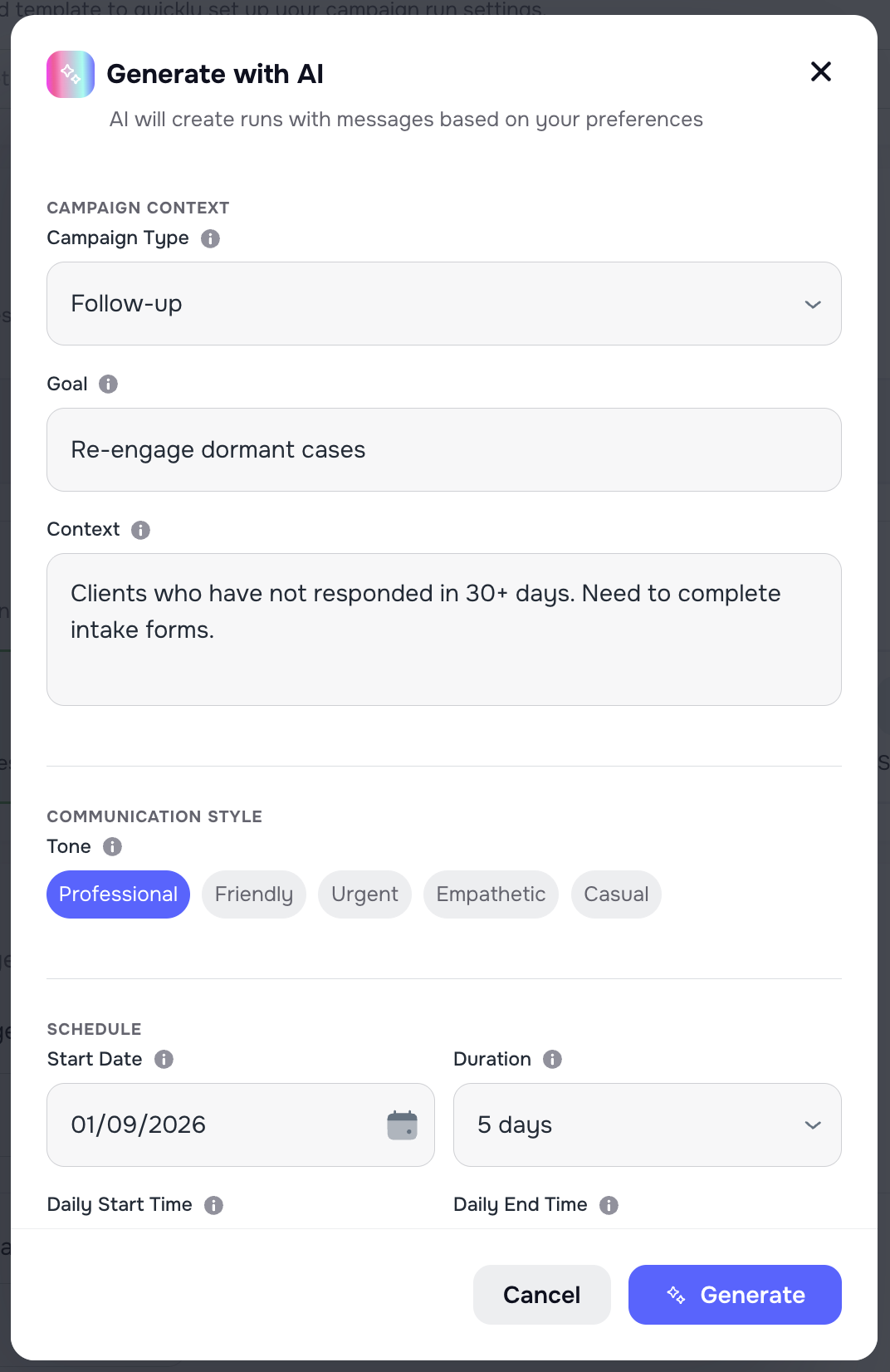
- Generate with AI — describe your campaign context + goal, choose campaign type & communication style, set schedule (Start Day / Duration / Daily Start–End), and Kayse generates your runs automatically.
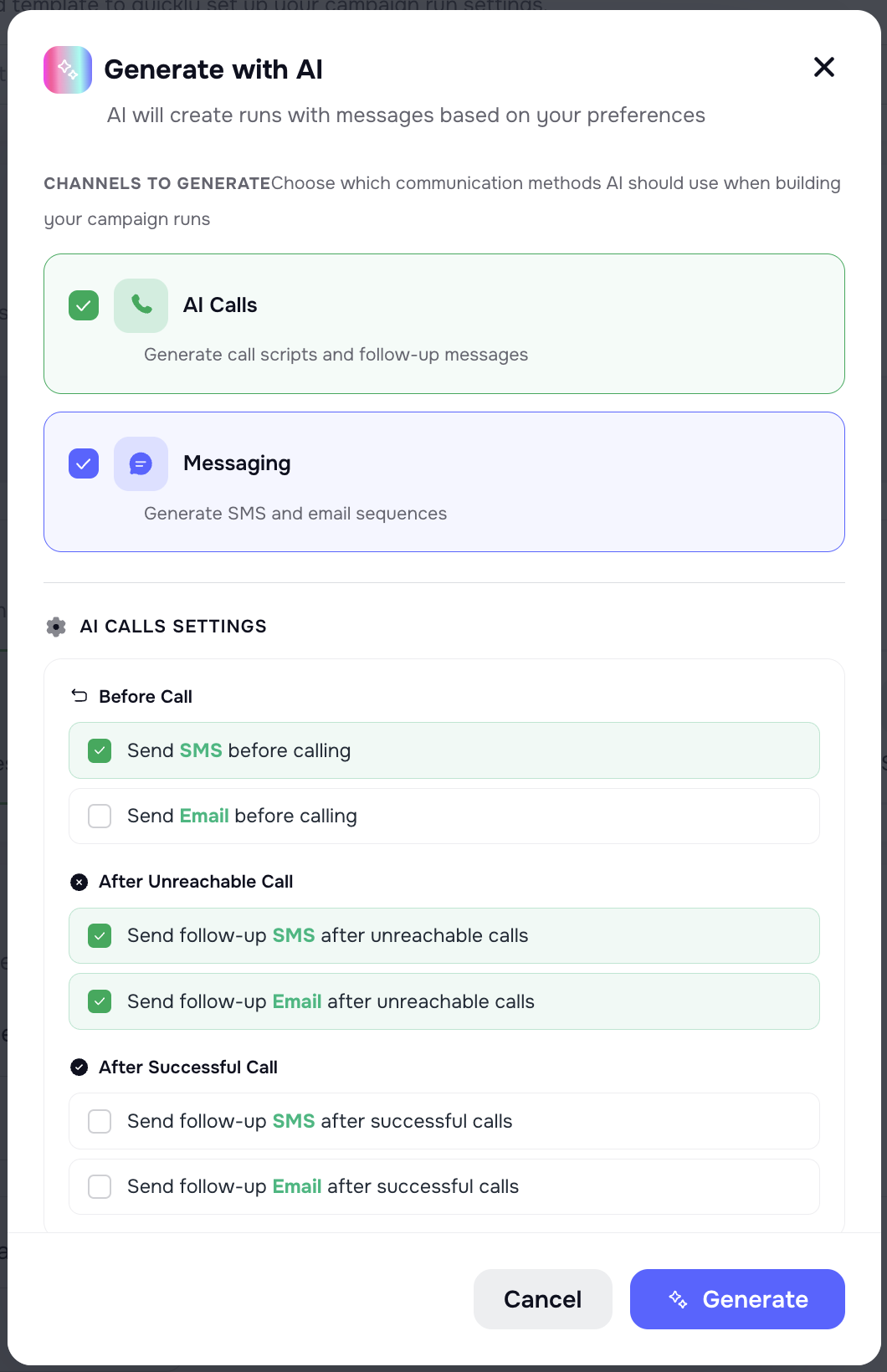
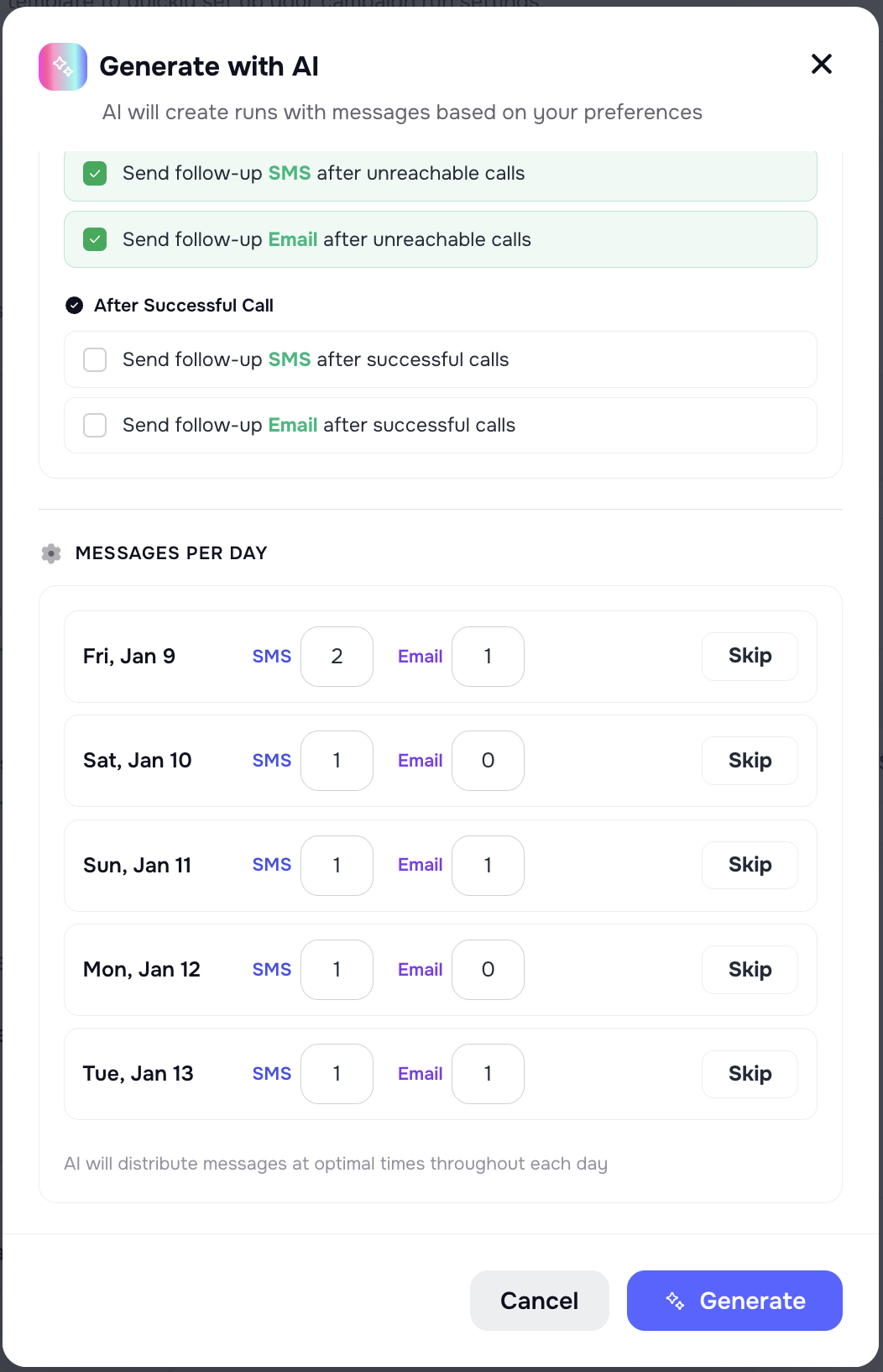
- Optional controls included: choose channels, decide whether messages should be sent before calls, and enable daily messaging where applicable.\
Docs: Campaign runs and scheduling

🔎 Run Contact Enrichment on-demand from a Call
Inside an AI Campaign call, you can now trigger enrichment directly from the call details:
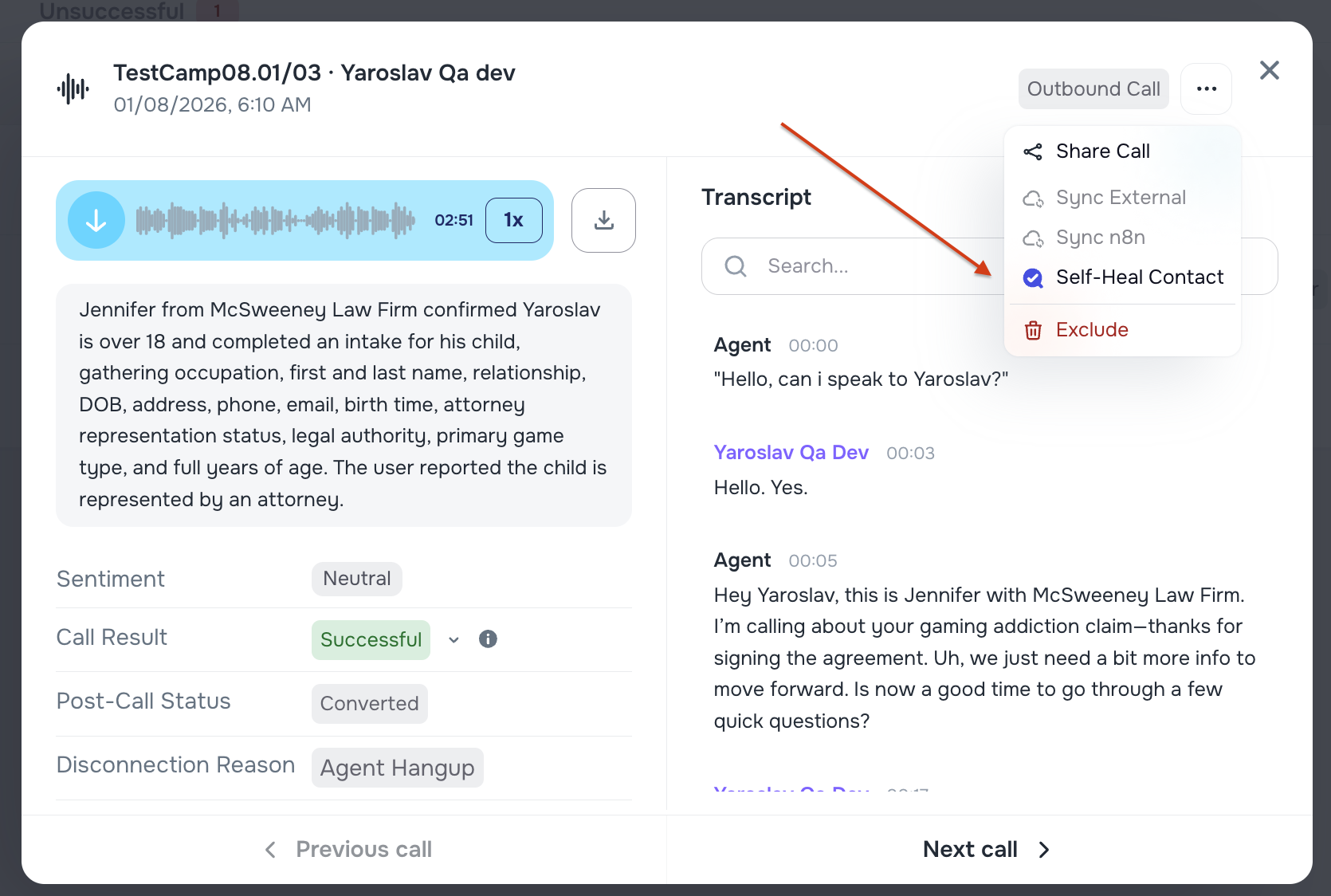
Added “Self-Heal Contact” action in the call modal (3-dots menu).
Helps quickly resolve incomplete/incorrect contact data while reviewing calls—without leaving the campaign workflow.
📈 “Call Success Rate by Day/Time” in AI Campaigns
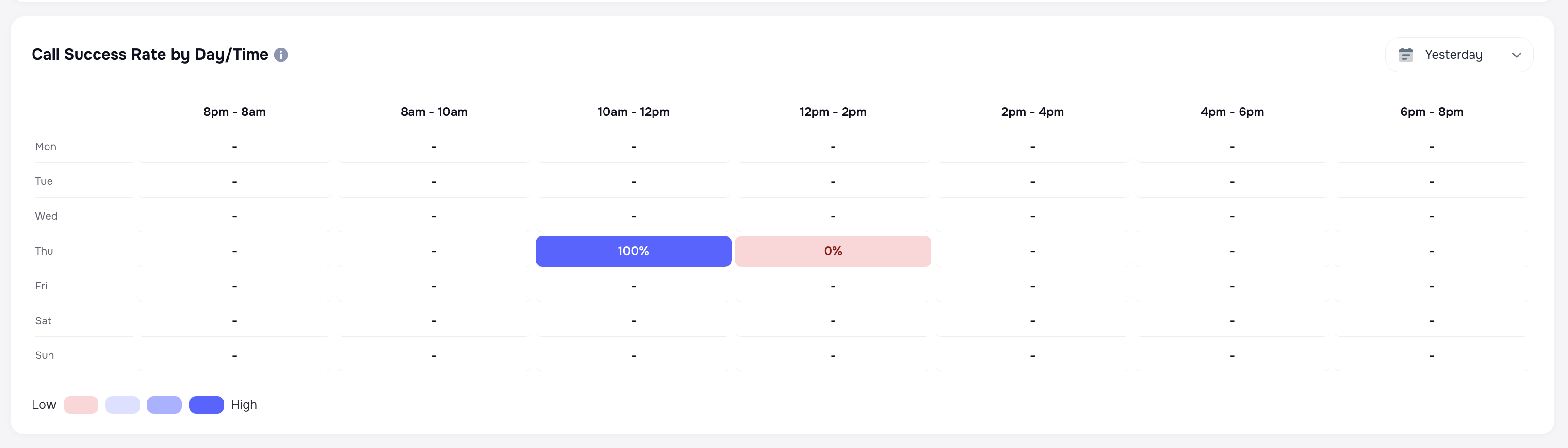
AI Campaign Analytics now includes Call Success Rate by Day/Time:
- Heatmap-style visualization (mirrors AI Receptionist view)
- Supports an adjustable timeframe, so you can analyze performance for the period that matters (not just a fixed window)
Docs: AI Campaigns
📎 Documents — New Attachments Page
📁 New Attachments page (centralized document management)
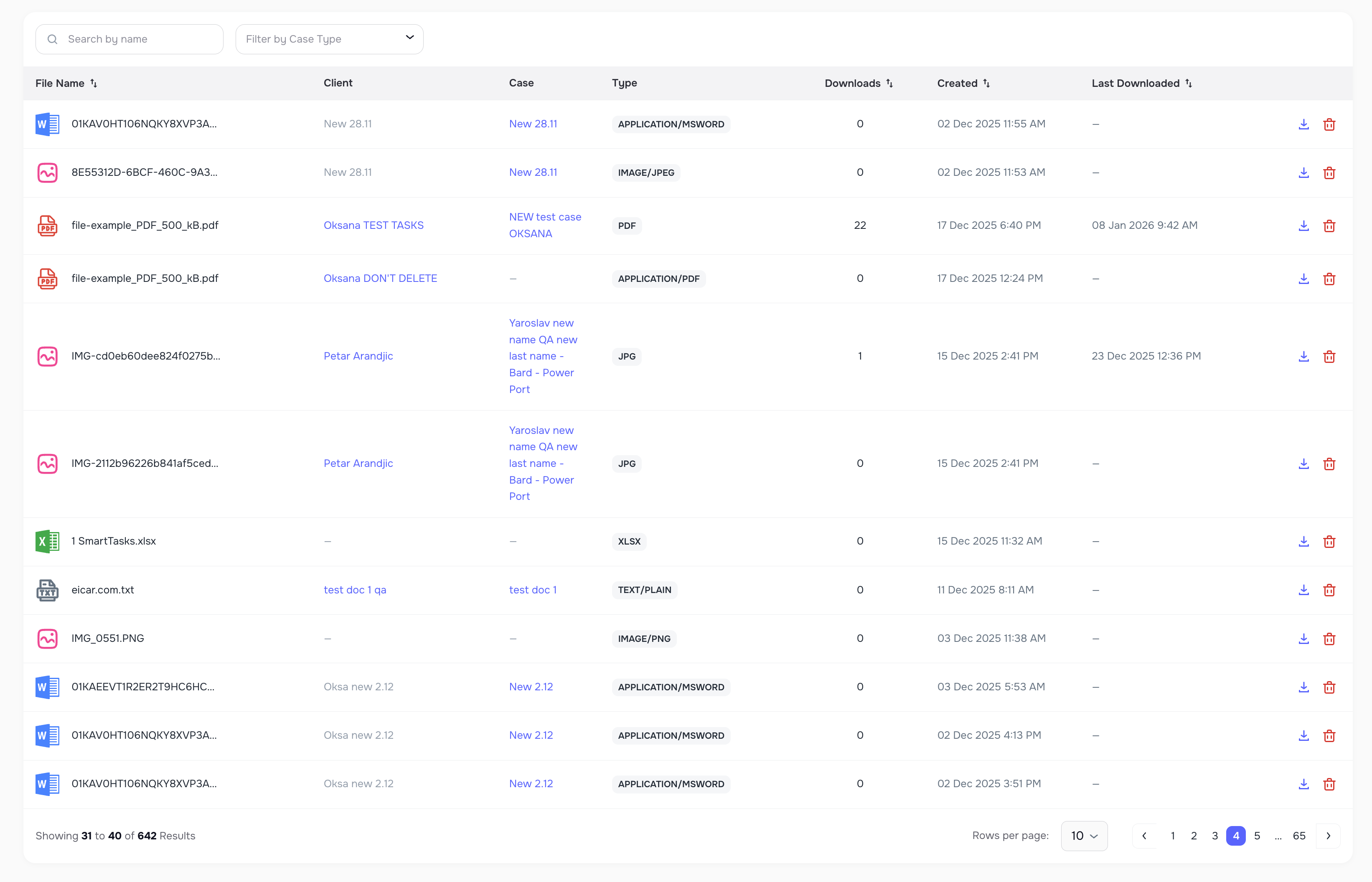
We added a new Attachments page to the left sidebar so users can:
- View all uploaded documents in one place
- Search by file name
- Filter by Case Type
- Download files (with a download counter that increments on each download)
- Delete attachments directly from the list
This makes document review + cleanup much easier—especially for high-volume firms.
Docs: Documents and attachments
📊 Reporting — Better Scheduled Report Experience
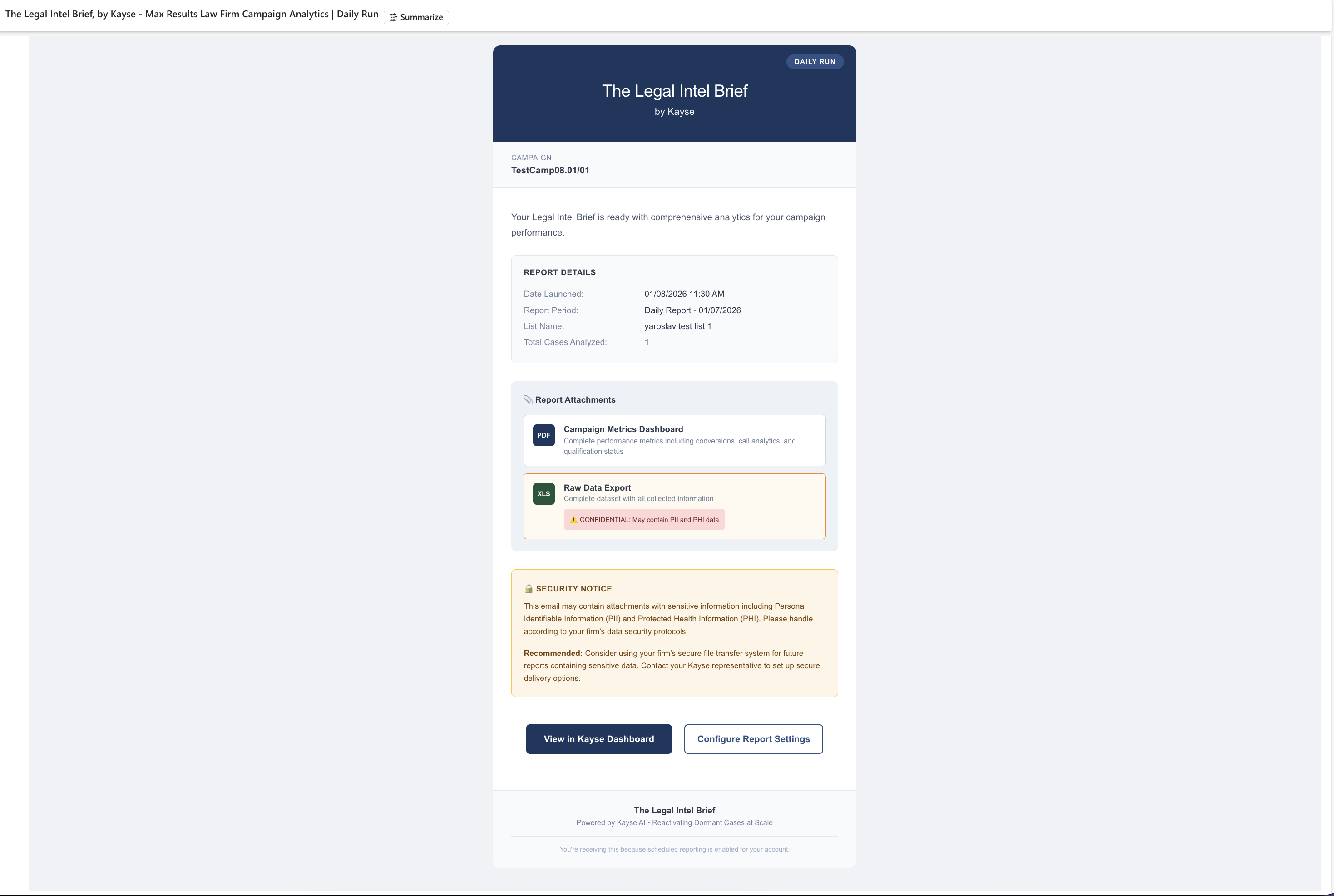
📨 New branded Scheduled Report email:
“The Legal Intel Brief, by Kayse”
Scheduled Report emails have been upgraded to a new fully branded template:
Cleaner layout with clear Report Details, Attachments, Security Notice, and CTA buttons
Responsive behavior (desktop + mobile) and improved cross-client consistency (e.g., Gmail/Outlook rendering)
Includes the correct attachment block (PDF + XLS) and the proper security/PII notice messaging
CTA buttons now route correctly (Dashboard vs Report Settings)
🗓️ Scheduled Reports: more flexible date range options
Scheduled reporting now supports configurable date range selections, making it easier to align reporting with firm workflows and review periods.
Docs: Campaign reports
👥 Contacts & Cases — Cleaner Data
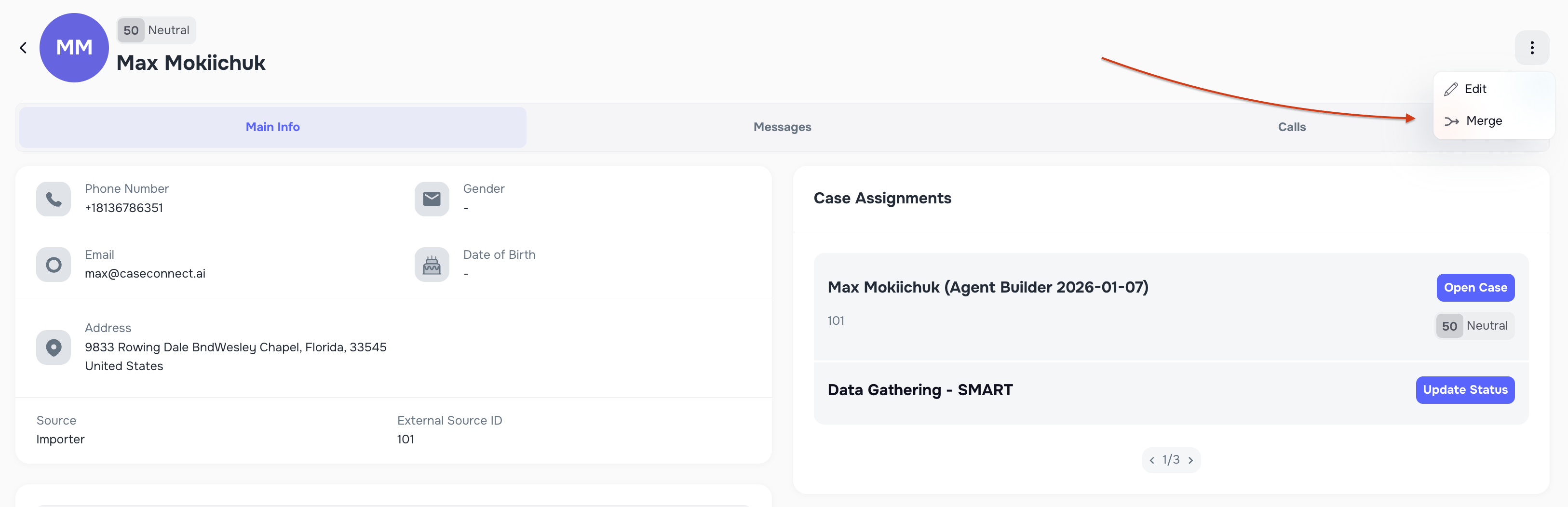
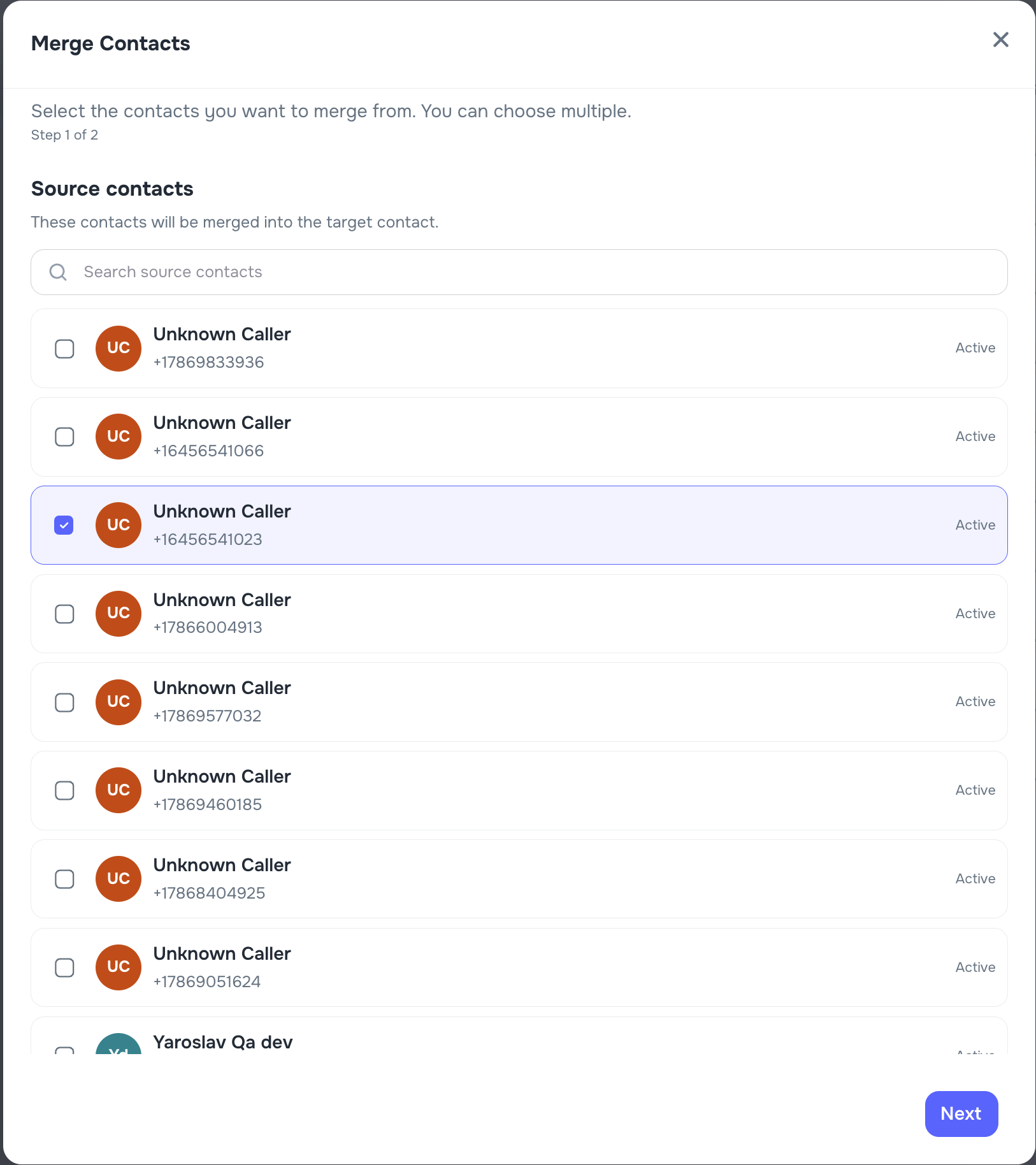
🧲 Merge “Unknown Caller” contacts into real clients
When someone calls from a number you don’t recognize, Kayse may create an “Unknown Caller” placeholder. You can now cleanly resolve this:
- Manually merge the Unknown Caller into the correct existing client
- Optionally override the client’s primary phone with the newly discovered number (or save it as an additional phone)
- After merge, placeholder records are removed—reducing “Unknown Caller” clutter in reporting and call review
Docs: Contacts
🧾 More readable audit history for merges
Contact merge activity is now recorded in a more human-readable way in the Audit Log—so it’s clear what was merged and where.

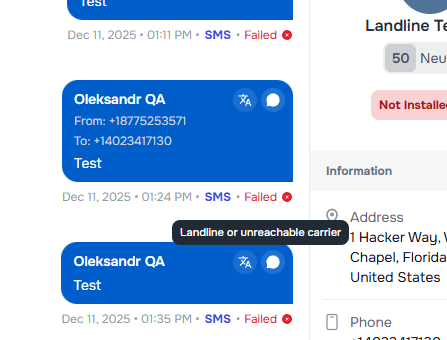
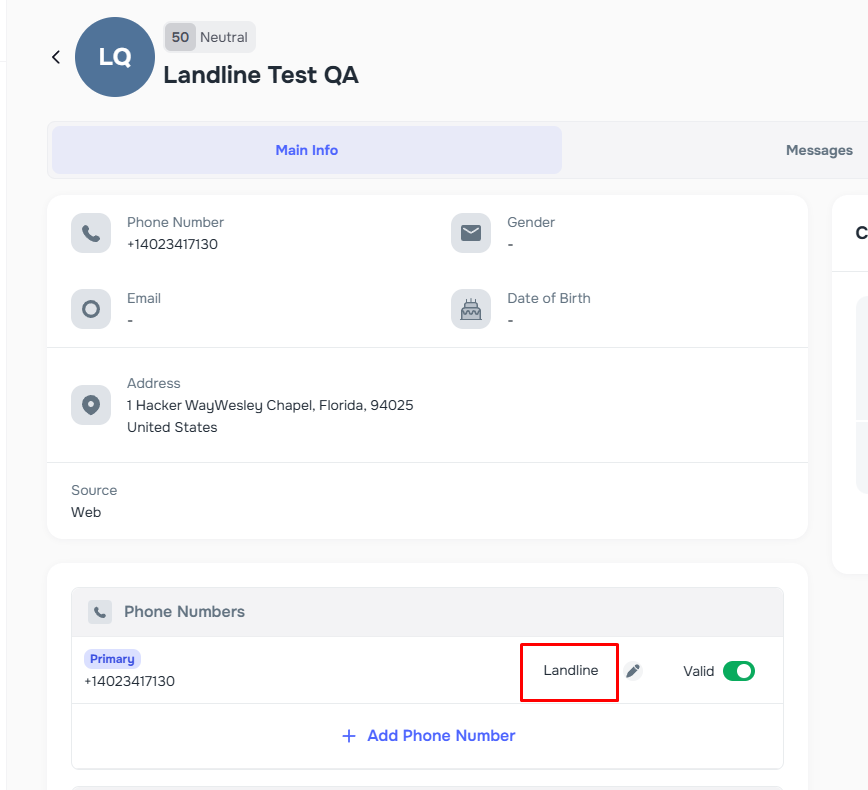
📵 Smarter SMS behavior when a number is a landline
When enrichment finds a new phone that’s not SMS-capable:
- Kayse now avoids treating landlines as valid SMS endpoints
- Reduces failed delivery attempts and prevents incorrect “best phone” replacements
✉️ Better email matching (aliases/suffix handling)
Kayse now handles common email variants more reliably (e.g., plus-addressing and similar patterns), improving:
- matching inbound messages to the correct contact
- threading/reporting consistency across communications
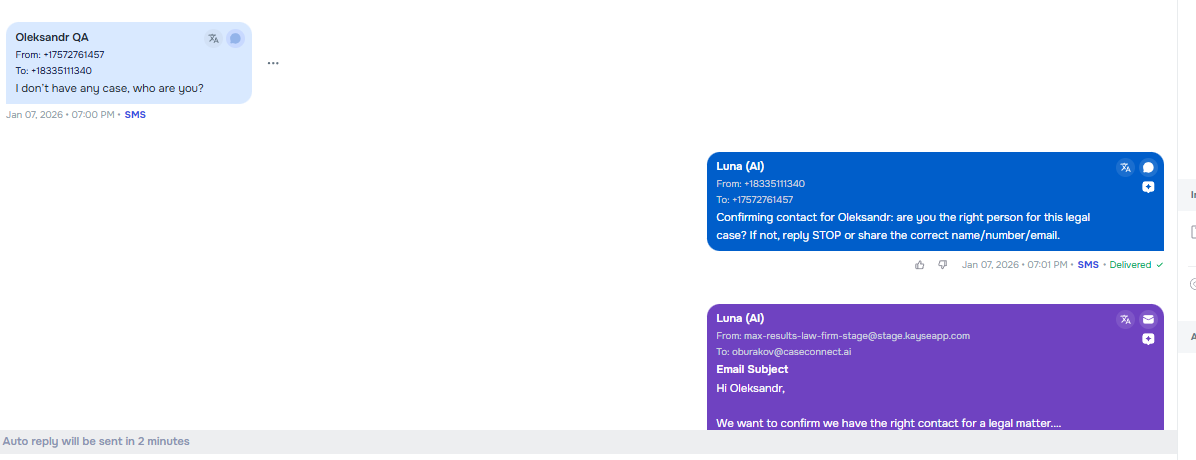
🧯 Better handling for prank/invalid leads
Improved protections for low-quality or invalid inbound leads:
- Stronger detection + handling of invalid contact numbers and prank/non-actionable entries
- Keeps campaigns, reporting, and team workflows cleaner and more trustworthy
🔁 Integrations — LawRuler Status Sync
⚖️ LawRuler ↔ Kayse: Case Status sync support
You can now sync Case Status changes between Kayse and LawRuler:
- Added a Company Settings toggle to enable status sync
- Improves consistency across systems and reduces manual status reconciliation work
Docs: Law Ruler integration
🧩 Company Settings — Case Types & Custom Fields Improvements
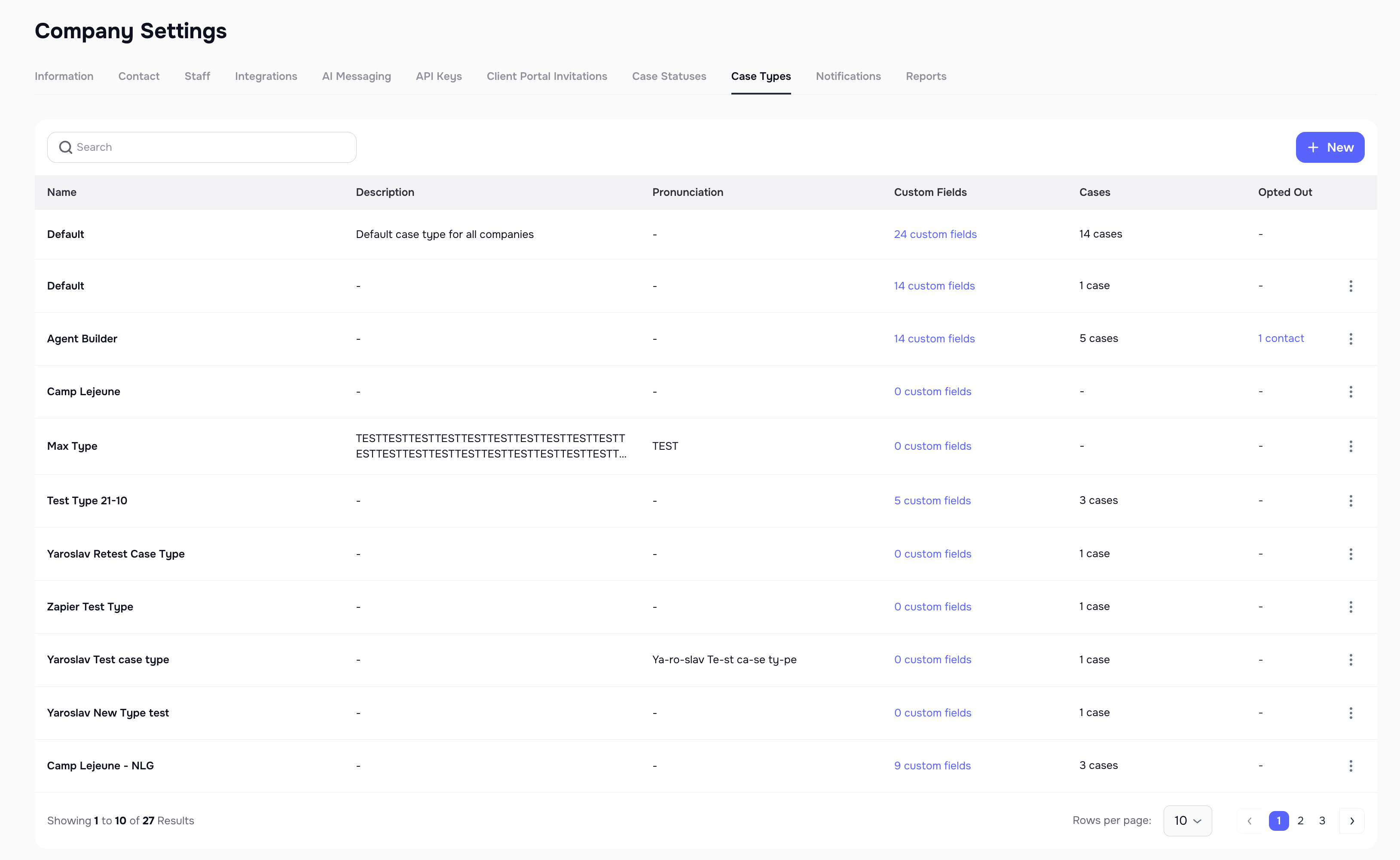
🧱 Case Types now show Custom Fields usage (visibility + quicker audits)
In Company Settings → Case Types:
- Added a Custom Fields column showing how many fields are assigned per Case Type
- Includes a quick view to open and review assigned fields—making configuration audits much faster
Docs: Cases
🧭 Dashboards — More Visibility into Enrichment & Documents
📊 Attachment scan coverage widget
Added a dashboard widget to help users quickly understand attachment scanning coverage and status at a glance. 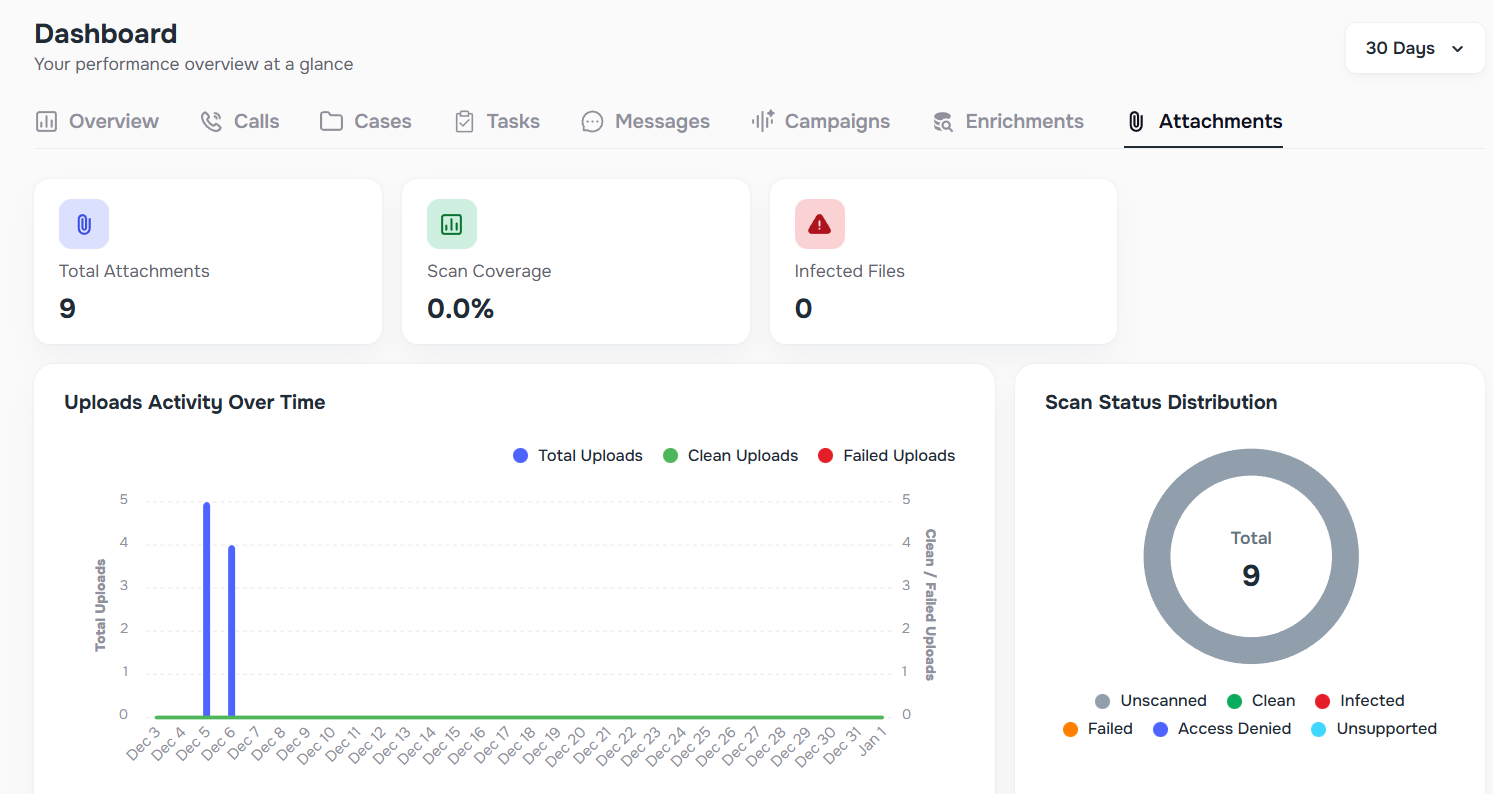
🧠 Enrichment dashboard improvements
Introduced an updated dashboard experience for enrichment, including clearer overview + recent activity visibility—making it easier to track enrichment effectiveness over time. 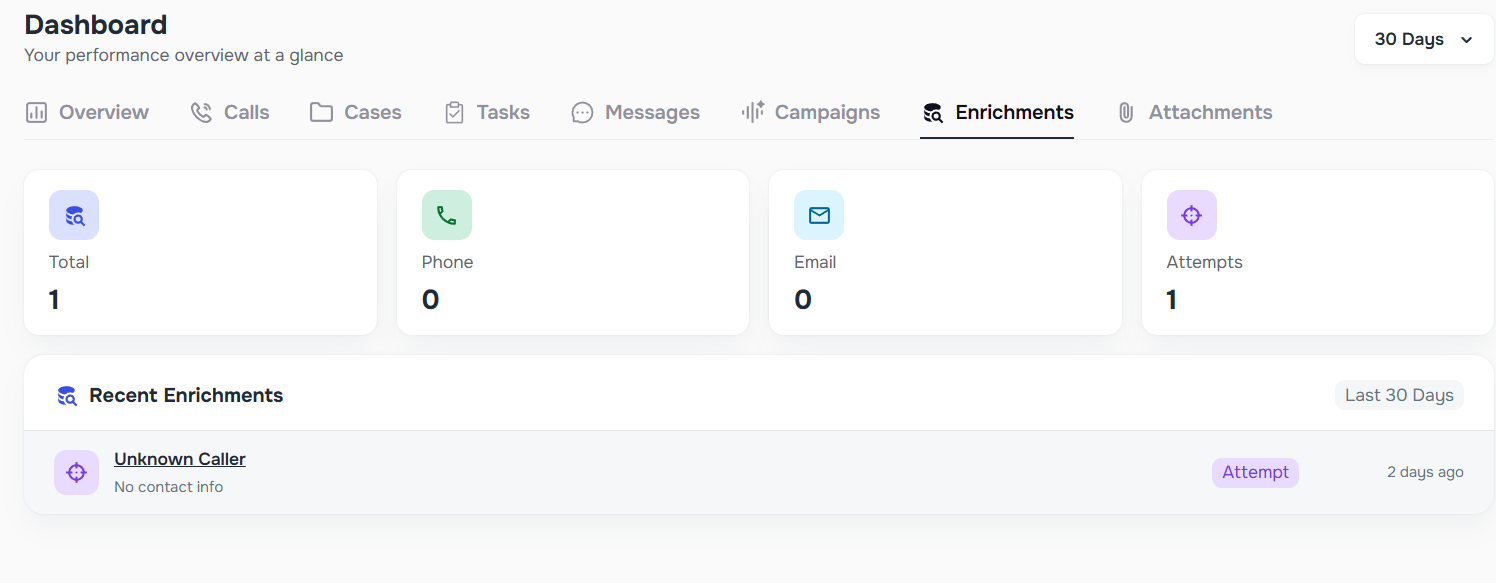
🔒 Email Compliance — Unsubscribe/Opt-Out Support
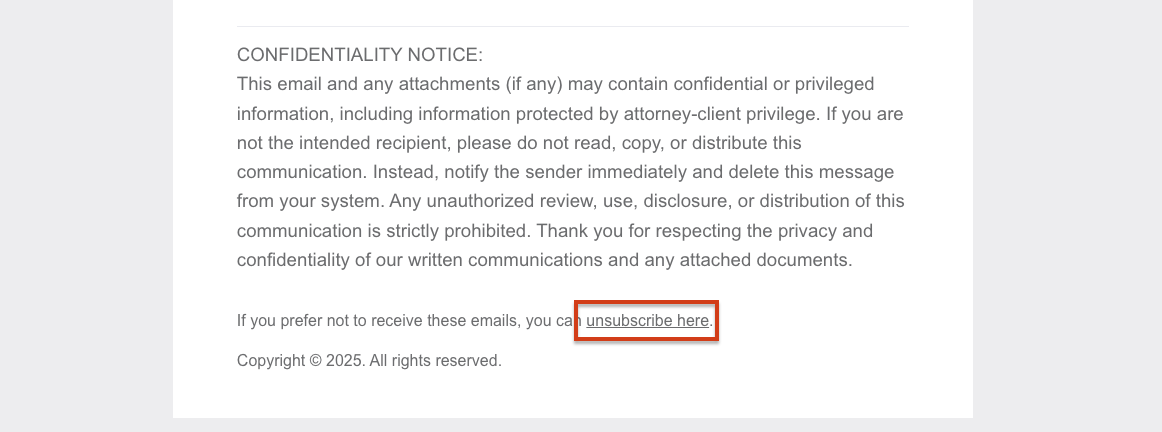
✅ Unsubscribe link added to Kayse emails
Kayse emails now include an Unsubscribe option to meet opt-out expectations and reduce compliance risk:
- Users can opt out of emails, calls, and/or SMS
- Clicking Unsubscribe redirects to a preference page where recipients manage communication settings